
How to Create a New Email ID in 2026: Step-by-Step Guide to Make a Gmail Account
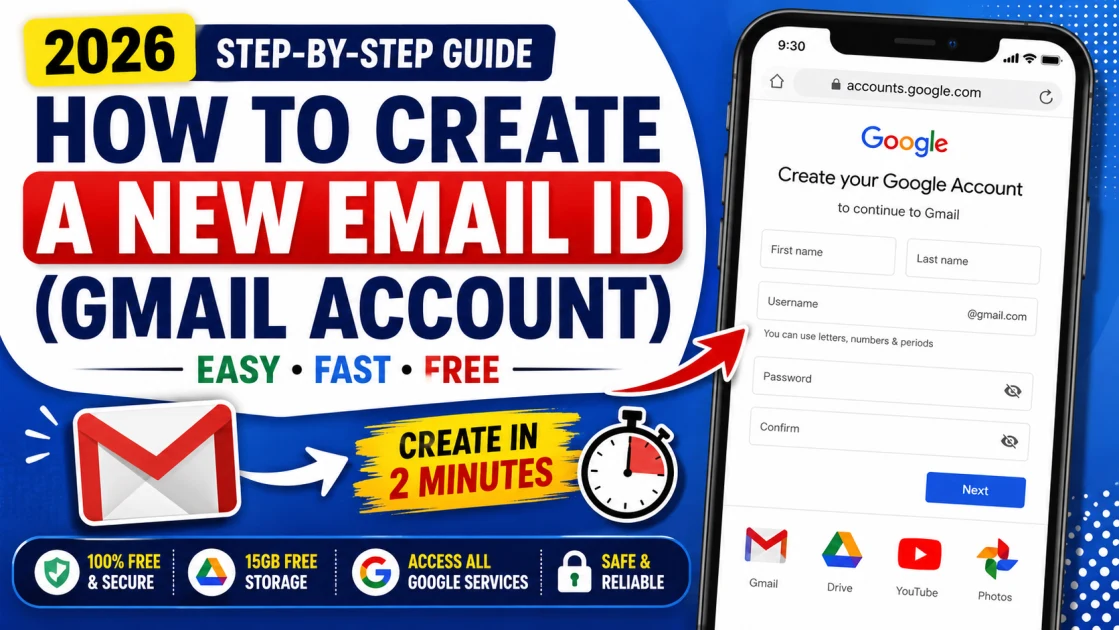
Table of Contents
- Step 1: Open Google's Account Creation Page
- Step 2: Enter Your Name
- Step 3: Enter Your Date of Birth and Gender
- Step 4: Choose Your Gmail Address
- Step 5: Create a Strong Password
- Step 6: Verify Your Mobile Number
- Step 7: Review Your Information
- Step 8: Accept Google's Terms and Privacy Policy
- Google Drive
- Google Play Store
- YouTube
- Google Photos
- Google Meet
- Google Docs, Sheets & Slides
- Microsoft Outlook
- Yahoo Mail
- Is creating a Gmail account free?
- How many Gmail accounts can I create with one mobile number?
- Can I create more than one Gmail account?
- Do I need a phone number to create a Gmail account?
- How much free storage does Gmail provide?
- Should I enable Two-Factor Authentication?
How to Create a New Email ID is one of the most common questions people search for when setting up a new smartphone or accessing online services. Whether you need a Gmail account for personal use, education, work, or government applications, creating one is quick and completely free. In this step-by-step guide, you'll learn how to create a new Gmail email ID, choose a secure password, verify your account, and start using Google's services with confidence.
In today's digital world, having an email ID is no longer optional. Whether you want to use an Android smartphone, download apps from the Google Play Store, apply for jobs, access online banking, or create social media accounts, an email address is essential.
If you're creating your first email account or want to make a new Gmail ID, this guide will walk you through the complete process in simple steps.
Why Do You Need an Email ID?
An email ID is your digital identity. It allows you to access various online services securely and communicate with people worldwide.
A Gmail account can be used for:
Sending and receiving emails
Downloading apps from Google Play Store
Accessing Google Drive with 15 GB of free cloud storage
Using YouTube, Google Photos, Google Docs, and Google Meet
Registering for government exams and online applications
Internet banking and online shopping
Creating accounts on websites and mobile apps
How to Create a New Gmail Email ID
Follow these simple steps to create your Gmail account on your smartphone, tablet, or computer.
Step 1: Open Google's Account Creation Page
Launch any web browser and visit the official Google Account creation page.
Click Create Account.
Choose one of the following options:
For my personal use
For my child
For work or business
Most users should select For my personal use.
Step 2: Enter Your Name
Type your:
First Name
Last Name
Click Next to continue.
Step 3: Enter Your Date of Birth and Gender
Provide your:
Date of Birth
Gender
Google uses this information to personalize and secure your account.
Click Next.
Step 4: Choose Your Gmail Address
Now create a unique username.
For example:
If your preferred username isn't available, Google will suggest alternative options.
You can also create your own custom username.
Step 5: Create a Strong Password
Choose a password that includes:
Uppercase letters
Lowercase letters
Numbers
Special characters
Example:
Study@2026Pass
Avoid using simple passwords like your name or birth year.
Step 6: Verify Your Mobile Number
Google may ask you to verify your phone number.
Simply:
Enter your mobile number.
Receive the OTP.
Enter the verification code.
This step improves your account security and helps recover your account if you forget your password.
Step 7: Review Your Information
Google will display your new Gmail address.
Carefully review all the details before proceeding.
Step 8: Accept Google's Terms and Privacy Policy
Read Google's Terms of Service and Privacy Policy.
Click I Agree.
Congratulations! Your new Gmail account is now ready to use.
Benefits of Creating a Gmail Account
Once your account is created, you'll automatically get access to several Google services.
Google Drive
Receive 15 GB of free cloud storage for documents, photos, emails, and videos.
Google Play Store
Download Android apps, games, books, and movies.
YouTube
Subscribe to channels, like videos, comment, and even create your own YouTube channel.
Google Photos
Back up your photos and videos securely.
Google Meet
Attend online classes, office meetings, and video calls.
Google Docs, Sheets & Slides
Create and edit documents online without installing additional software.
What If You Face Problems While Creating a Gmail Account?
Sometimes you may experience issues while creating a new email account.
Here are some common solutions:
Check your internet connection.
Try using another web browser.
Update your browser to the latest version.
Restart your device.
If one phone doesn't work properly, try creating the account from another smartphone or computer.
Ensure your phone number hasn't exceeded Google's verification limit.
Gmail vs Email: What's the Difference?
Many people think Gmail and Email are the same, but they are different.
Email is a general method of sending electronic messages over the internet.
Gmail is Google's email service that lets you send and receive emails using a Gmail address.
Simply put, every Gmail account is an email account, but not every email account is Gmail.
Other Email Services You Can Use
Besides Gmail, you can also create free email accounts on other platforms.
Microsoft Outlook
Outlook is Microsoft's email service and is widely used by businesses and professionals.
Features include:
15 GB free storage
Microsoft Office integration
Strong security features
Calendar and productivity tools
Yahoo Mail
Yahoo Mail remains a popular choice for users who need large storage.
It offers:
Generous free storage
Spam protection
Easy account management
Mobile and desktop support
Tips for Keeping Your Email Account Secure
Protect your account by following these best practices:
Use a strong password.
Enable Two-Factor Authentication (2FA).
Never share your password with anyone.
Keep your recovery email and phone number updated.
Avoid logging into your account on public devices.
Regularly review your security settings.
Frequently Asked Questions (FAQs)
Is creating a Gmail account free?
Yes. Creating a Gmail account is completely free.
How many Gmail accounts can I create with one mobile number?
Google generally allows multiple Gmail accounts to be verified using the same mobile number, although verification limits may vary over time.
Can I create more than one Gmail account?
Yes. You can create multiple Gmail accounts using the same Google account management system.
Do I need a phone number to create a Gmail account?
Not always. Google may allow account creation without a phone number in some cases, but phone verification may be required for security purposes.
How much free storage does Gmail provide?
Every Google account comes with 15 GB of free storage, shared across Gmail, Google Drive, and Google Photos.
Should I enable Two-Factor Authentication?
Yes. Enabling Two-Factor Authentication (2FA) adds an extra layer of security and helps protect your Gmail account from unauthorized access.
Final Words
Creating a new Gmail account in 2026 is quick and straightforward. Whether you need an email ID for personal use, education, work, or government services, a Gmail account gives you access to Google's complete ecosystem, including Gmail, Drive, YouTube, Meet, and the Play Store.
Follow the steps outlined in this guide, choose a secure password, enable two-factor authentication, and your new email account will be ready in just a few minutes.