
NIELIT O Level Practical Exam July 2026: Complete Guide to Practical Dates, Admit Card, Exam Pattern & Preparation
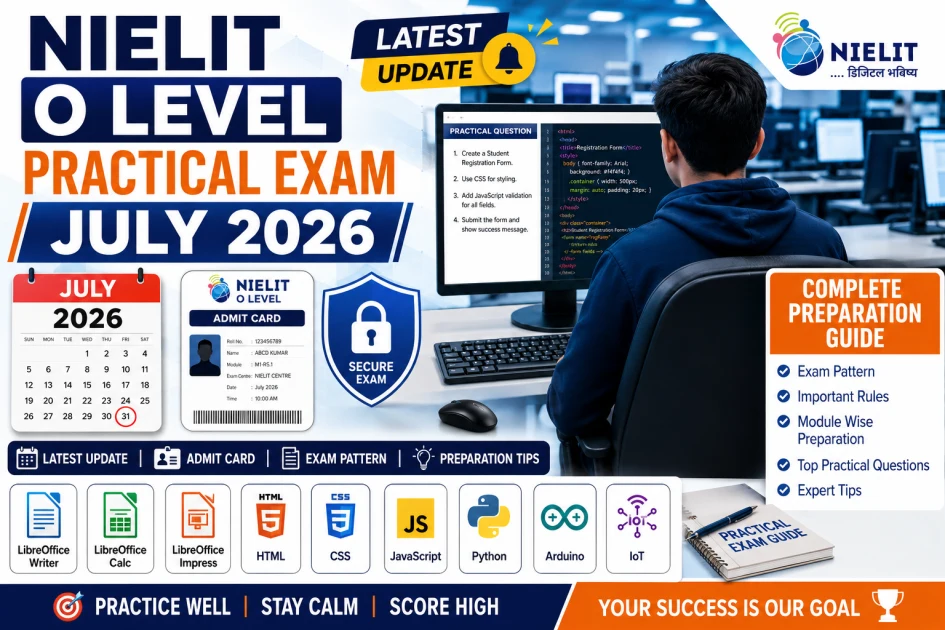
Table of Contents
- NIELIT O Level Practical Exam July 2026 Latest Update
- Expected Practical Exam Schedule
- How to Download the Practical Hall Ticket
- Step 1
- Step 2
- Step 3
- Step 4
- Step 5
- Information You Should Verify on the Hall Ticket
- Important Instructions for Candidates
- Reach the Centre Early
- Carry All Required Documents
- Follow Examination Centre Instructions
- Documents Required for the Practical Examination
- Items Not Allowed Inside the Examination Hall
- Can You Change Your Examination Centre?
- Reporting Time Matters
- Before You Leave for the Exam Centre
- Common Mistakes Students Should Avoid
- How Does the Online Practical Examination Work?
- Computer-Based Practical Interface
- Navigation During the Examination
- Number of Questions
- Marks Distribution
- Importance of the Save Button
- Do Not Forget to Click Submit
- Is There Any Viva Examination?
- Time Management During Practical Exam
- Common Mistakes Students Make
- Tips to Score Better in Practical Examination
- M1-R5.1: Information Technology Tools and Network Basics
- LibreOffice Writer
- LibreOffice Calc
- Charts in Calc
- LibreOffice Impress
- M2-R5.1: Web Designing and Publishing
- HTML Practical Questions
- HTML Table Questions
- CSS Practical Questions
- JavaScript Practical Questions
- M3-R5.1: Programming and Problem Solving Through Python
- Number Based Programs
- Loop Programs
- String Programs
- List Programs
- Functions
- M4-R5.1: Internet of Things (IoT)
- LED Programs
- Traffic Light System
- Sensor Programs
- LCD Display
- Buzzer Programs
- Frequently Repeated Practical Questions
- Smart Preparation Strategy
- For M1-R5.1 you should:
- For M2-R5.1 you should:
- For M3-R5.1 you should:
- For M4-R5.1 you should:
- Before you leave for the NIELIT O Level Practical Exam
- When you are in the exam
- Common Mistakes Students Make
- Tips to Do Well in the NIELIT O Level Practical Exam
- Frequently Asked Questions
- 1. How many questions are there in the NIELIT O Level Practical Exam?
- 2. Is the NIELIT O Level Practical Exam online?
- 3. Is there marking in the NIELIT O Level Practical Exam?
- 4. Can I change my exam center?
- 5. What modules are in the NIELIT O Level Practical Exam?
- 6. Which module is the easiest?
- 7. How should I prepare for the NIELIT O Level Practical Exam?
- 8. What should I do if my program has an error?
- 9. Can I use the internet during the NIELIT O Level Practical Exam?
- 10. What is the important thing to remember during the NIELIT O Level Practical Exam?
- Final Thoughts
Latest Practical Exam Update, Admit Card, Important Dates & Exam Day Guidelines
NIELIT O Level Practical Exam July 2026 is one of the most important stages for students pursuing the NIELIT O Level certification. The practical examination evaluates your real computer skills through hands-on tasks in LibreOffice, HTML, CSS, JavaScript, Python, and IoT. In this complete guide, you'll learn about the latest practical exam updates, admit card, exam pattern, important rules, module-wise preparation strategy, frequently asked practical questions, and expert tips to score high in the July 2026 practical examination.
If you are appearing for the NIELIT O Level July 2026 Examination, the practical exam is one of the most important stages of your certification. Many students prepare well for the theory papers but lose valuable marks in the practical exam due to a lack of awareness about the latest guidelines, exam process, or required documents.
The July 2026 practical examinations are expected to begin in the last week of July 2026 and will be conducted in multiple batches at designated examination centers across India. Every candidate must verify their allotted practical date, reporting time, batch, and examination center by downloading the latest hall ticket from the official NIELIT Student Portal.
This guide explains everything you need to know about the NIELIT O Level Practical Exam 2026, including the latest updates, admit card process, important instructions, exam rules, and preparation strategy.
NIELIT O Level Practical Exam July 2026 Latest Update
After the completion of the theory examinations, NIELIT conducts practical examinations for all O Level modules. These practical exams are held in Computer-Based Mode at authorized NIELIT examination centers.
Candidates should not rely on unofficial schedules shared through social media or messaging groups. Instead, always check the latest information through the official student portal and your updated hall ticket.
Before leaving for the examination center, verify the following details carefully:
Practical examination date
Reporting time
Batch number
Examination center
Module details
Candidate information
Any mismatch in these details should be reported immediately through the appropriate official channels before the examination date.
Expected Practical Exam Schedule
The practical examination is generally organized in multiple batches over several days depending on the number of candidates at each center.
Your hall ticket will clearly mention:
Practical examination date
Reporting time
Batch number
Examination center name
Candidate roll number
Module(s) assigned for the practical examination
Candidates should reach the examination center well before the reporting time to complete document verification and system allocation.
Late reporting may lead to unnecessary complications during the examination process.
How to Download the Practical Hall Ticket
Before appearing for the practical examination, every student should download the latest version of the hall ticket.
Follow these simple steps:
Step 1
Visit the official NIELIT Student Portal.
Step 2
Open the Admit Card or Hall Ticket section.
Step 3
Enter the required credentials such as registration number or application details.
Step 4
Download the latest practical hall ticket.
Step 5
Print a clear copy and verify all information carefully.
Never use an old hall ticket if an updated version has been released.
Information You Should Verify on the Hall Ticket
Always cross-check the following information before the examination:
Candidate Name
Roll Number
Registration Number
Module Name
Practical Date
Batch Timing
Reporting Time
Examination Centre
Photograph
Signature (if applicable)
If any information appears incorrect, contact the appropriate NIELIT support channel immediately.
Important Instructions for Candidates
Many students focus only on technical preparation but overlook basic examination instructions. Following these guidelines can help avoid unnecessary problems on exam day.
Reach the Centre Early
Plan your journey in advance and arrive at the examination center at least 30 to 45 minutes before the reporting time.
This allows sufficient time for identity verification and seating arrangements.
Carry All Required Documents
Keep all necessary documents ready before leaving your home.
Recommended documents include:
Printed Practical Hall Ticket
Original Government Photo ID
Passport-size photographs (if required)
Any additional documents mentioned on the hall ticket
Without proper identification, candidates may not be permitted to enter the examination hall.
Follow Examination Centre Instructions
Every examination center follows specific instructions regarding reporting, attendance, and practical examination procedures.
Listen carefully to the invigilator's instructions before starting the practical examination.
Do not begin working until instructed.
Documents Required for the Practical Examination
The following documents are generally required at the examination center:
Updated Practical Hall Ticket
Original Aadhaar Card, PAN Card, Passport, Driving Licence, or Voter ID
Additional identification documents if specifically requested
Carry original documents instead of photocopies unless otherwise instructed.
Items Not Allowed Inside the Examination Hall
Candidates should avoid carrying unnecessary items.
The following items are generally prohibited:
Mobile Phones
Smart Watches
Bluetooth Devices
Earphones
Electronic Calculators
Pen Drives
Written Notes
Books
Tablets
Personal Laptops
Cameras
Any Electronic Gadgets
If the examination center provides lockers, use them as instructed.
Can You Change Your Examination Centre?
The examination center and batch are assigned by NIELIT during the scheduling process.
Candidates should consider the allotted center as final unless NIELIT officially announces any change. Requests for changing the examination center or practical batch are generally not accepted, so it is advisable to make travel arrangements accordingly.
Reporting Time Matters
Many students underestimate the importance of reporting time.
Reaching the center late can result in:
Delayed verification
Reduced preparation time
Missing important instructions
Possible denial of entry in certain situations
Always plan to reach the examination center early, especially if you are traveling from another city.
Before You Leave for the Exam Centre
Use this quick checklist:
Printed Hall Ticket
Original Photo ID
Confirmed Reporting Time
Exam Centre Address
Required Stationery (if permitted)
Water Bottle (if allowed)
Comfortable Clothing
Sufficient Travel Time
Positive Mindset
Common Mistakes Students Should Avoid
Many candidates lose marks or face unnecessary stress because of simple mistakes.
Avoid these common errors:
Downloading an outdated hall ticket
Forgetting the original photo ID
Reaching the center late
Carrying prohibited electronic devices
Ignoring official instructions
Depending only on social media updates
Not checking the allotted practical batch
Proper planning before exam day can prevent these problems.
Online Practical Exam Pattern, Computer Interface, Marks Distribution & Exam Workflow
Preparing for the NIELIT O Level Practical Examination is not about learning programs. It is also about understanding how the online practical examination works. Many students lose marks because they do not know how to use the exam interface. They forget steps like saving or submitting their answers.
The NIELIT O Level practical examination takes place in a computer laboratory. Candidates use a computer to complete tasks. They submit their work digitally before leaving the examination hall. The July 2026 practical examination schedule starts in the week of July. It takes place at designated examination centres.
How Does the Online Practical Examination Work?
The practical exam is different from the theory examination. It is task-oriented. Candidates have to complete assignments using software applications. They have to use programming tools or development environments related to their modules.
Each candidate gets a computer with all the software. After logging in the practical questions appear on the screen. Candidates have to complete the assigned work within the given time. They have to submit their answers through the interface.
Computer-Based Practical Interface
The online practical examination interface allows students to view questions and complete tasks at the time. The interface has two sections.
Left Panel – Question Window: This section shows the questions. It includes instructions, required output, file naming instructions, submission guidelines and marks for each task.
Right Panel – Working Area: This section provides access to software or editors. It includes tools like LibreOffice Writer, LibreOffice Calc, HTML/CSS Editor and Python IDLE.
Students should read the instructions carefully before starting the work.
Navigation During the Examination
Students can switch between the question window and the software window. Before starting a task they should read the question understand the required output plan the solution and begin the practical work carefully.
Number of Questions
In the examination students get three practical questions. They have to attempt any two. The exact pattern follows the practical scheme for the module. Students should choose questions that match their strengths. They should complete the questions accurately within the time.
Marks Distribution
The practical examination evaluates laboratory performance and practical submission. It includes laboratory tasks, quality of execution accuracy of output, online submission and internal practical components.
Importance of the Save Button
Students often forget to save their work. They should save their work regularly. Not wait until the last minute. They should verify that the latest version has been saved.
Do Not Forget to Click Submit
Saving a file is not the same as submitting the examination. After completing the task students should review their work verify the output confirm the file name and click the Submit button.
Is There Any Viva Examination?
The practical assessment process focuses on completing and submitting assigned tasks. However examination procedures may vary depending on the centre or official instructions.
Time Management During Practical Exam
Managing time effectively can improve scores. Students should read all questions carefully decide which questions to attempt and plan their approach. They should complete the practical task verify the output save their work and then complete the second task.
Common Mistakes Students Make
Many students lose marks to avoidable errors. Common mistakes include not reading the question selecting a difficult question, incorrect file names missing required output, syntax errors forgetting to save files and forgetting to click Submit.
Tips to Score Better in Practical Examination
Students should follow these strategies:
Read every question carefully.
Start with the task.
Keep code or documents well organized.
Test the output whenever possible.
Save work.
Avoid formatting changes.
Do not panic if a mistake is made – correct it and continue.
Reserve the few minutes for checking and submitting work.
Accuracy is often more valuable than attempting every feature. The NIELIT O Level Practical Examination requires students to be careful and accurate. They should understand the exam pattern manage their time and avoid mistakes.
Module Wise Practical Preparation Strategy for NIELIT O Level Examination (M1-R5.1, M2-R5.1, M3-R5.1 and M4-R5.1)
To score well in the NIELIT O Level Practical Examination you need to practice instead of just memorizing theory. Every module has its practical pattern and some tasks are asked again and again in different exams with minor changes.
The best way to prepare is to understand the concepts practice the frequently asked tasks and get familiar with the software or programming environment before the exam day.
Here is a module wise preparation guide based on asked practical topics.
M1-R5.1: Information Technology Tools and Network Basics
The M1 practical exam focuses on LibreOffice applications. You need to create documents do spreadsheet calculations and design presentations using LibreOffice Writer, Calc and Impress.
If you are comfortable using these three applications you can score marks in the practical exam.
LibreOffice Writer
Writer based questions usually test your document formatting skills. You need to practice:
Creating a letter
Preparing a resume or bio data
Designing an application letter
Creating tables
Page formatting
Header and footer
Page numbering
Bullets and numbering
Text formatting
Replace
Spell check
Mail merge
Mail merge is one of the frequently asked practical questions.
LibreOffice Calc
Calc questions mainly evaluate your spreadsheet skills. You need to practice creating worksheets with formulas and formatting.
Student marksheet
Salary sheet
Electricity bill
Employee record
Sales report
Budget sheet
Inventory register
You also need to practice formula functions like:
SUM
AVERAGE
MAX
MIN
COUNT
COUNTIF
IF
VLOOKUP
HLOOKUP
ROUND
TODAY
DATE
Formula accuracy is more important than worksheet decoration.
Charts in Calc
Chart based questions are also common. You need to practice creating:
Pie chart
Bar chart
Column chart
Line chart
You should know how to:
Change chart title
Add axis labels
Modify legend
Change data range
LibreOffice Impress
Presentation related questions usually require creating 3-5 slides on a given topic. You need to practice:
Slide layout
Themes
Images
Shapes
Tables
Animation
Slide transition
Hyperlinks
Automatic slide show
M2-R5.1: Web Designing and Publishing
The M2 practical exam is completely based on HTML, CSS and JavaScript. You need to be able to write code without depending on templates or online generators.
HTML Practical Questions
You need to practice:
Student registration form
College admission form
Employee information form
Feedback form
Contact form
Login form
Library registration form
You should know how to use:
Text box
Password field
Radio button
Checkbox
Drop-down list
Text area
Submit button
Reset button
HTML Table Questions
Table design is another topic. You need to practice creating:
School time table
Employee salary table
Student result table
Product list
Examination schedule
You should know tags like:
rowspan
colspan
cellpadding
cellspacing
border
width
align
CSS Practical Questions
CSS questions focus on webpage styling. You need to practice:
Internal CSS
External CSS
Inline CSS
You should know properties like:
Color
Background
Font family
Font size
Border
Padding
Margin
Width
Height
Display
Position
You should also practice designing a navigation menu.
JavaScript Practical Questions
JavaScript questions generally involve validation. You need to practice:
Login form validation
Field validation
Password length validation
Number validation
Email validation
Alert message
Confirmation box
Basic knowledge of variables, functions, conditions and events is sufficient for practical exams.
M3-R5.1: Programming and Problem Solving Through Python
Python questions mainly test programming logic rather than advanced programming concepts. Most questions are beginner-friendly but require syntax and logical thinking.
Number Based Programs
You need to practice writing programs for:
Prime number
Armstrong number
Palindrome number
Perfect number
Even and odd
Largest number
Smallest number
Positive and negative number
Leap year
Loop Programs
You need to thoroughly practice:
For loop
While loop
Nested loop
Common questions include:
Multiplication table
Factorial
Fibonacci series
Reverse number
Sum of digits
Pattern printing
Pattern questions are common in exams. You need to practice:
Creating patterns using stars and numbers
String Programs
You need to practice:
Reverse string
Palindrome string
Count characters
Count words
Count vowels
Convert to lowercase
Replace characters
List Programs
You need to practice:
Creating a list
Adding elements
Removing elements
Sorting a list
Finding the maximum value
Finding the minimum value
Sum of list
Average
Functions
You need to practice writing functions for:
Factorial
Prime number
Largest number
Fibonacci
Calculator
Area calculation
M4-R5.1: Internet of Things (IoT)
The IoT module focuses on Arduino programming and basic sensor interfacing. Most practical questions are simple if you understand the Arduino IDE and basic C programming syntax.
LED Programs
You need to practice:
LED blink
Alternate LED blink
Multiple LED control
You should understand:
pinMode()
digitalWrite()
delay()
Traffic Light System
You need to create a program where:
Red LED turns ON
Yellow LED turns ON
Green LED turns ON
Each LED should operate with the appropriate delay.
Sensor Programs
You need to practice interfacing sensors like:
DHT11 temperature sensor
LDR sensor
IR sensor
Ultrasonic sensor
You should know how to display sensor values using the Serial Monitor.
LCD Display
You need to practice:
Displaying text
Displaying sensor values
Displaying messages
Buzzer Programs
You should practice writing programs where:
A buzzer turns ON when an object is detected
A buzzer activates when a sensor crosses a predefined threshold
Frequently Repeated Practical Questions
Across different exam sessions the following practical tasks are repeated most often:
M1: Resume, letter, mail merge, marksheet, salary sheet, charts, presentation
M2: Registration form, login form, HTML table, CSS styling, JavaScript validation
M3: Prime number, Fibonacci series, factorial, palindrome, Armstrong number, pattern printing, list operations
M4: LED blink, traffic light, LCD display, DHT11 sensor, IR sensor, buzzer program
Smart Preparation Strategy
Instead of trying to practice hundreds of programs focus on the most frequently asked practical tasks. A simple preparation plan is:
Practice each LibreOffice application daily
Write HTML, CSS code manually, without copying
Solve at least 5 Python programs every day
Understand Arduino syntax and practice IoT programs
Revise previously asked questions before the exam
Consistent practice will improve both speed and accuracy during the practical examination.
Final Preparation Tips, Last Minute Revision, Common Mistakes, FAQs & Success Strategy for NIELIT O Level Practical Exam
The NIELIT O Level Practical Exam is around the corner. These last few days are really important. You should not try to learn things now. Instead you should focus on what you know and practice the NIELIT O Level Practical Exam tasks that are really important. You should also make sure you are good at using the software you will use during the exam.
A lot of students know a lot. They make small mistakes and lose marks. These mistakes can be things like file names or forgetting to save their work. If you are calm and do things step by step on the exam day you will do better. The NIELIT O Level Practical Exam is about the NIELIT O Level Practical Exam so you should practice for the NIELIT O Level Practical Exam.
Let us make a plan for the few days before the NIELIT O Level Practical Exam. You should use the week to practice what you know not to learn new things. Of reading books you should practice using the computer.
Here are some things you should do:
Practice the frequently asked NIELIT O Level Practical Exam questions.
Use LibreOffice Writer, Calc and Impress.
Write HTML, CSS and JavaScript code by hand.
Solve Python programs without looking at your notes.
Look at Arduino and IoT programs.
Practice saving files.
Organizing your work.
If you practice for one or two hours every day you will do better than if you study for a time.
Now let us say you only have one day left before the NIELIT O Level Practical Exam. You should focus on the important topics.
For M1-R5.1 you should:
Make a resume
Write a letter
Do a mail merge
Make a marksheet
Make a salary sheet
Make charts
Make a presentation
For M2-R5.1 you should:
Make a registration form
Make a login form
Make HTML tables
Use CSS styling
Use JavaScript validation
For M3-R5.1 you should:
Find numbers
Find Fibonacci series
Find factorial
Find Armstrong numbers
Find palindrome
Make list programs
Use functions
Print patterns
For M4-R5.1 you should:
Make an LED blink
Make a traffic light
Use an LCD display
Use a DHT11 sensor
Use an IR sensor
Make a buzzer program
Before you leave for the NIELIT O Level Practical Exam
Make sure you have everything you need.
Your hall ticket
Your ID
Your photos
You should know where the exam center is and leave early so you're not late.
You should sleep well eat and wear comfortable clothes.
When you are in the exam
You should use your time wisely.
First read all the questions.
Choose the two questions you will answer.
Understand what you need to do.
Then do the question.
Save your work often.
Check your work.
Next do the question.
Check your work again.
Finally review your work save it and submit it.
Common Mistakes Students Make
A lot of students make mistakes that cost them marks.
They start working without reading the question.
They choose questions that're too hard.
They use file names.
They do not format their work correctly.
They make syntax errors.
They forget to save their work.
They forget to submit their work.
They do not listen to the invigilator.
They spend much time on one question.
They leave without checking their work.
The NIELIT O Level Practical Exam is not about being fast it is about being careful.
Tips to Do Well in the NIELIT O Level Practical Exam
Here are some tips to do well in the NIELIT O Level Practical Exam:
Read the question.
Start with the question.
Keep your code clean.
Check your work often.
Save your work often.
Do not make changes.
Stay calm if you make a mistake.
Use your few minutes to review your work.
Frequently Asked Questions
1. How many questions are there in the NIELIT O Level Practical Exam?
You will get three questions. You only need to answer two.
2. Is the NIELIT O Level Practical Exam online?
Yes it is.
3. Is there marking in the NIELIT O Level Practical Exam?
No there is not.
4. Can I change my exam center?
No you cannot.
5. What modules are in the NIELIT O Level Practical Exam?
There are four modules: M1-R5.1, M2-R5.1, M3-R5.1 and M4-R5.1.
6. Which module is the easiest?
It depends on what you're good at.
7. How should I prepare for the NIELIT O Level Practical Exam?
You should practice what you know. Not try to learn new things.
8. What should I do if my program has an error?
You should read the error message, check for mistakes and try again.
9. Can I use the internet during the NIELIT O Level Practical Exam?
No you cannot.
10. What is the important thing to remember during the NIELIT O Level Practical Exam?
You should save your work often and submit it on time.
Final Thoughts
To do well in the NIELIT O Level Practical Exam you do not need to know everything. You just need to understand the concepts practice regularly and stay organized.
You should know how to make documents, design webpages write Python programs and do IoT tasks. You should also know how to manage your time follow instructions and submit your work correctly.
Of trying to study everything at the last minute you should focus on what you are good at. Practice regularly pay attention to details. Stay calm.
The NIELIT O Level Practical Exam is a test of what you can do not what you know. So you should approach each task step by step review your work and trust yourself.
We wish you the best of luck for your NIELIT O Level Practical Exam. With practice, discipline and confidence you can do well and get your O Level certification.
The NIELIT O Level Practical Exam is a chance to show your computer skills. By preparing practicing regularly and following the rules you can do very well.
So keep practicing stay focused and rely on updates. With knowledge, time management and careful submission you will do very well in the NIELIT O Level Practical Exam.
Good luck, with your NIELIT O Level Practical Exam!